Eye protection at the computer – habits, diet and nutrients that support eyesight
01 October, 2026

Computers, phones and tablets accompany us for a large part of the day. Working with a screen does not, however, mean that your eyes have to be constantly strained. A great deal depends on how you use your devices, how your workstation is set up and whether you let your eyes rest during the day. If you experience tired eyes from the computer, a burning sensation, a gritty feeling under the eyelids or a temporary loss of sharpness, it is worth looking at your everyday habits first. Prolonged close-up viewing and less frequent blinking can contribute to such complaints.
Effective eye protection at the computer does not come down to a single product or supplement. What matters most are regular breaks, the right distance from the monitor, reduced glare, frequent blinking and a well-prepared workplace. A varied diet that provides the nutrients needed for the normal functioning of the eyes is also important. In certain situations, well-chosen supplements can additionally help top up selected nutrients, but they should be part of a broader approach to eye care. Looking after your eyesight is therefore best treated as a set of everyday actions, rather than a reaction only once discomfort appears.
Why do your eyes get tired when working at a computer?
When intensely focused on a screen, we blink less often than usual. The eyelids spread the tear film over the surface of the eye, so a reduced blinking rate can contribute to dryness, burning and a feeling of irritation. The American Academy of Ophthalmology points out that blinking frequency can drop noticeably while looking at a screen. Dry eyes from the computer are a common phenomenon that may appear after just a few hours of intensive work.
Eye irritation can be promoted by, among other things, glare, an overly bright screen, an incorrect monitor distance, dry air or many hours of focusing at close range. Eye strain from screens can show up as, among other things, dryness, blurred vision, watery eyes or headaches. Such complaints are usually temporary and do not mean that the light emitted by a computer permanently damages the eyes.
How to protect your eyes at the computer? The most important everyday habits
Wondering how to protect your eyes from the computer during long hours of work? Start by reducing the time during which your eyes stay continuously focused at one distance. Every so often, look away from the monitor and focus on a more distant point. It is also worth blinking consciously, especially when typing, reading a long document or doing a task that requires a lot of concentration.
Your workstation matters a great deal too. The monitor should be roughly at arm's length, and it is best positioned so that your gaze is directed slightly downwards. It helps to limit light reflections on the screen and to match its brightness to your surroundings. If you are wondering how to look after your eyes when working at a computer, also pay attention to the humidity of the room and the direction of the air-conditioning flow. Dry air can increase eye discomfort.
Screen breaks, blinking and the right monitor position
Proper visual hygiene does not require complicated procedures. The regularity of a few simple behaviours is far more important. You can adopt the rule that while working you:
- look at a distant point instead of the screen every so often,
- consciously blink fully a few times,
- do not place the monitor too close to your face,
- limit glare and overly strong light,
- take short breaks from close-up work,
- keep the room at a comfortable temperature and humidity.
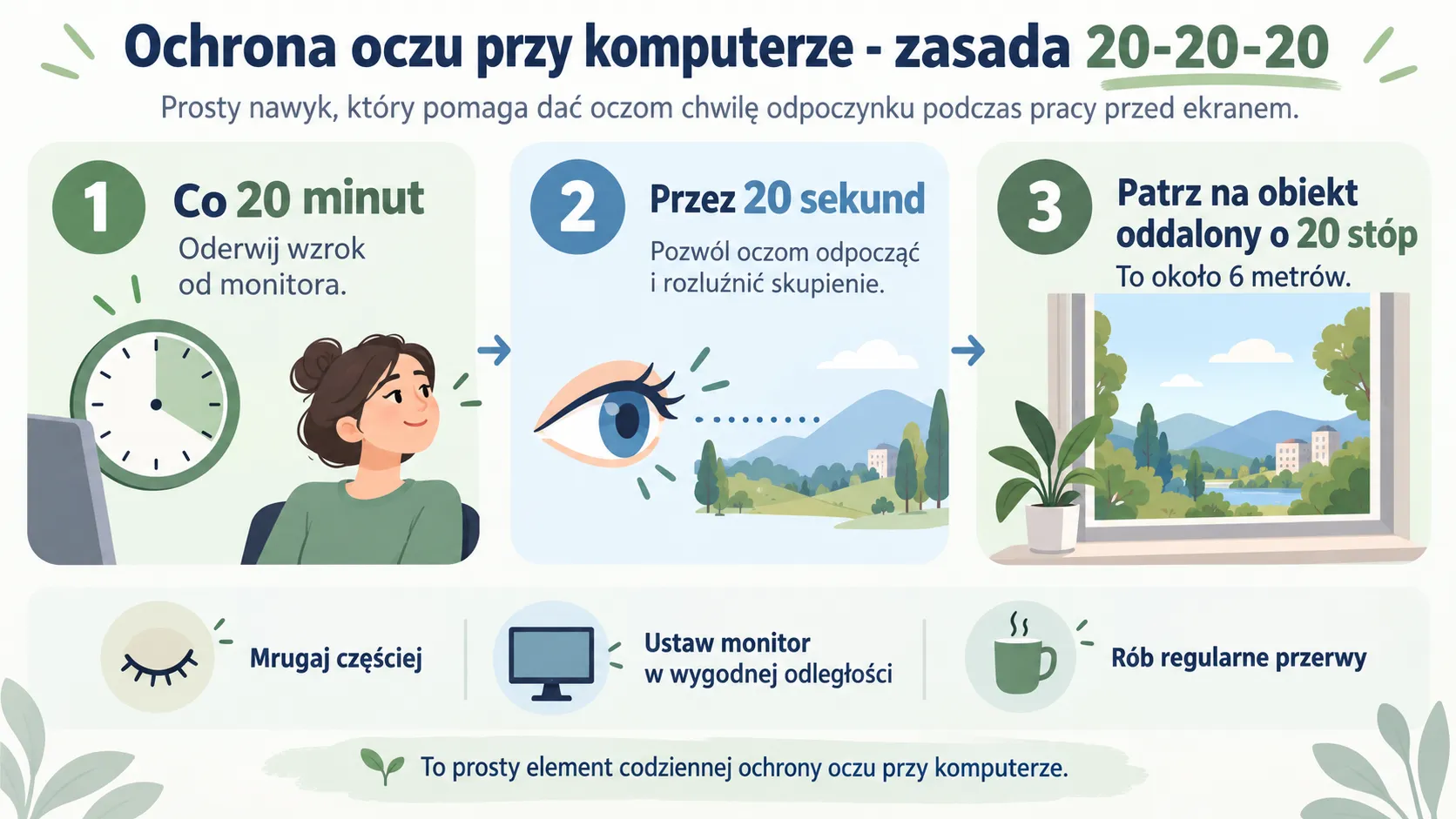
If you want to know how to look after your eyes at the computer, start with exactly these changes. They do not require any special equipment, yet they help reduce the constant strain on your eyes. The popular 20-20-20 rule suggests that roughly every 20 minutes you look for about 20 seconds at an object around 20 feet, or roughly 6 metres, away.
A diet for your eyes – what is worth eating when you spend a lot of time in front of a screen?
Everyday habits at your desk are one part of eye care; the other is proper nutrition. A well-composed diet for your eyes should simply be varied and provide the nutrients needed for the normal functioning of the whole body. There is no single food that will neutralise hours of looking at a screen. It is, however, worth regularly eating vegetables, fruit, fish, eggs, wholegrain products, nuts, pips and healthy fats.
Wondering what to eat for good eyesight? Good choices include green leafy vegetables, yellow and orange vegetables, eggs and sea fish, among others. Such foods provide, among other things, carotenoids, vitamins and fatty acids. Instead of building your menu around a single nutrient, it is better to ensure variety, because the body needs many nutrients at the same time.
Lutein, vitamin A and other nutrients important for normal vision
In the context of eyesight, lutein and zeaxanthin are often mentioned. How does lutein work for the eyes? Together with zeaxanthin, it accumulates in the macula, the area of the retina responsible for sharp central vision. Both carotenoids help filter some short-wavelength light and take part in protecting the cells of the eye against oxidative stress. That is why antioxidant supplements containing, among others, lutein or zeaxanthin can be considered as a complement to your diet if it is difficult to obtain these nutrients in sufficient amounts from food. Lutein is found mainly in green leafy vegetables such as spinach and kale, while good sources of zeaxanthin include maize, yellow peppers and egg yolks.
How does vitamin A work for eyesight? It is needed for the normal functioning of the retina and takes part in the processes that enable vision, especially in low light. Sources of this important vitamin for eyesight include eggs, dairy and offal, and the body can also produce it from the beta-carotene found in carrots, pumpkin, sweet potatoes and green vegetables. Your diet should also include omega-3 fatty acids, good sources of which are oily sea fish such as salmon, mackerel and sardines. They are an important part of a well-balanced menu, but supplementing them should not be treated as a universal remedy for dry or tired eyes.
All these nutrients that support eyesight are best treated as part of a well-balanced diet. If for various reasons it is difficult to obtain them in sufficient amounts from food, you can consider complementing your menu with selected vitamins and minerals in the form of supplements.
Tired and dry eyes from the computer – when is it worth consulting a specialist?
If discomfort appears mainly after an intensive day in front of the monitor and goes away after rest, the first step is to improve your working conditions and take breaks more often. In certain situations, eye supplements can complement your diet if there is a need to provide specific nutrients, but they do not replace proper habits or an eye examination.
A visit to a specialist is particularly important when complaints persist despite rest, keep coming back or are accompanied by a clear deterioration in vision, pain or severe redness of the eye. Recurring dryness may also have causes other than computer use alone, so limiting screen time is not always enough.
Everyday eye protection at the computer should start with simple, regularly repeated habits. Take breaks, look into the distance, remember to blink, set up your monitor properly and eat a varied diet. Supplementation can be an addition tailored to specific needs, but it will not replace ergonomic working conditions or rest for your eyes. And if discomfort persists or worrying symptoms appear, it is best to consult an ophthalmologist.
See also
other posts

What are the symptoms of dry eye and how can you help yourself?
Do you know that feeling when, at the end of...
More about our technology

Lutein and astaxanthin in caring for eye health
Every day our eyes are exposed to the harmful action...
More about our technology